Clinics: Governance First Clinical Workflow Automation and PHI Safety
· 16 min read
Clinics: Governance First Clinical Workflow Automation and PHI Safety
Clinical workflow automation reclaims clinician time and cuts costly errors by handling high-volume administrative and select clinical tasks without a person retyping the same data three times. The workflows that pay off fastest are patient intake, eligibility verification, AI-assisted documentation, coding and charge capture, prior authorization, and claims and denial management. Start with the highest-volume, lowest-clinical-risk processes, keep a person reviewing every clinical decision, and log everything.
TL;DR:
- Automating eligibility verification and patient registration offers the highest ROI, with practices reducing denials and check-in times using structured data and OCR technology.
- Focusing first on administrative workflows with clean data, high volume, and low clinical risk—such as registration and charge entry—maximizes safety and efficiency.
- Interoperability through native APIs or FHIR standards is critical for project stability and for avoiding brittle integrations that break after system updates.
- Implementing robust governance, including human review, audit logging, and fail-safes, is essential to mitigate automation bias, hallucination, and PHI data leakage risks.
- Starting with one or two pilot workflows, measured over 90 days, with dedicated clinical and operational leads ensures safe, validated, and scalable automation deployment.
Table of Contents
- What Is Clinical Workflow Automation, and Which Workflows Should You Automate First?
- How Do You Decide Which Workflow to Automate First?
- What Technical Groundwork Does Clinical Automation Require?
- What Does a Safe Rollout Plan Look Like?
- How Do You Measure Whether Clinical Automation Is Working?
- What Are the Real Risks, and How Do You Control Them?
- How Does MedScrub Fit This Governance-First Approach?
- What Should Healthcare Teams Prioritize Over the Next Year?
- Ready to Reclaim Clinician Hours? Here’s the Next Step
- Sources
What Is Clinical Workflow Automation, and Which Workflows Should You Automate First?
Clinical workflow automation is the use of software, rules engines, and AI agents to carry out repetitive administrative and clinical tasks that currently consume staff time without requiring a clinical judgment call. It’s distinct from generic “healthcare workflow automation,” a broader umbrella that includes scheduling and facilities tasks with no patient-care component at all. The clinical version specifically touches documentation, care decisions, and patient-facing processes, which is why governance matters more here than in a typical back-office automation project.
A literature review published in PMC found automation has already succeeded across administrative healthcare workflows, and the same characteristics that made those projects work, interoperability, technical infrastructure, and the complexity of the decision rules involved, determine whether a clinical automation project will succeed too. That’s the filter to run every candidate workflow through before you build anything.
Patient access and intake. Automating registration means pulling insurance cards, demographic data, and consent forms into structured fields instead of a front-desk staffer typing them in during a five-minute check-in window. Optical character recognition and rules-based validation catch typos in policy numbers before they turn into a denied claim three weeks later. Clinics report shorter check-in times and fewer downstream eligibility errors once this step is automated.
Eligibility and benefits verification. This is the single highest-ROI starting point for most practices because it’s high volume, rule-based, and carries almost no clinical risk. An automation checks payer portals or clearinghouse APIs in real time and flags coverage gaps before the visit, not after the claim bounces. Real-world examples show practices cutting eligibility-related denials substantially once this check runs automatically ahead of every appointment.
AI scribing and clinical documentation. Ambient AI listens to the visit and drafts a note, or an assistant pulls structured data (labs, meds, problem list) into a pre-visit summary the clinician reviews and edits. This is a clinical workflow, so every draft needs a human sign-off before it becomes part of the permanent record. The upside is real: clinicians using ambient documentation tools routinely report getting evenings and lunch breaks back that used to disappear into chart completion.
Coding and charge capture. Natural language processing scans the visit note and clinical documentation to suggest CPT and ICD-10 codes, then a coder or automated charge-entry system posts them. Done well, this shortens the time between visit and bill while reducing undercoding, a quiet revenue leak most practices underestimate until someone runs the numbers.
Claims and denial management. Automated scrubbing checks claims against payer rules before submission, and denial-management agents categorize rejected claims by root cause, draft appeals, and route anything unusual to a human. Prior denial patterns become training data for catching the same mistake before it happens again.
Prior authorization. This is the workflow clinicians complain about most, and for good reason. Automated systems pull the clinical documentation, match it against payer criteria, and draft the request, cutting turnaround from days to hours in documented examples. A human still reviews and submits, since a wrong authorization can delay care.
Care coordination and follow-up. Automated reminders track overdue labs, unclosed referrals, and unresolved care gaps, then nudge staff or patients before something falls through the cracks. This is the workflow most likely to prevent a bad outcome quietly, because missed follow-up rarely shows up as an incident report until it’s too late.
Analytics and quality monitoring. Dashboards that pull from the EHR automatically instead of requiring a monthly manual chart pull give administrators a real-time view of quality metrics, denial trends, and staff workload.
By the numbers: US healthcare organizations avoided an estimated $258 billion in administrative costs in 2024 through electronic transactions and automated processing, a figure that shows how much waste sits in manual administrative work alone.
Administrative costs already account for a large share of total hospital spending, according to American Hospital Association reporting on the burden commercial insurer policies place on providers. That’s the budget line automation is best positioned to shrink.
How Do You Decide Which Workflow to Automate First?
Not every workflow deserves the same urgency, and the practices that get burned usually picked the wrong starting point, often a clinical process with high stakes and messy data, instead of a boring administrative task with clean data and huge volume.
Score each candidate workflow against six factors:
- Volume and frequency. How many times a day does this task happen? Higher volume means faster payback on the automation build.
- Clinical risk. Does a mistake affect a treatment decision, or just a billing line? Start with the lower-risk category.
- Data readiness. Does the data already live in structured fields in the EHR, or is it buried in free-text notes that need extraction first?
- ROI estimate. Multiply hours saved per week by loaded staff cost, then compare against the estimated build and maintenance cost.
- Staff impact and buy-in. Will the team affected actually adopt this, or will they route around it?
- Ease of automation. Does the task follow clear rules, or does it require judgment calls that resist codification?
Run a short discovery phase before committing to a build. Map the current process step by step, including every handoff and rework loop. Time a sample of staff performing the task manually for a week. Pull a sample of denied claims and categorize the root causes, since a surprising share of denials trace back to two or three fixable causes rather than dozens of scattered ones.
Pro Tip: Pull your recent denials and sort them by reason code before you automate anything. Many practices find that a majority of denials cluster around a few key causes, which tells you exactly which workflow to fix first.
For most practices, the realistic sequence looks like this: eligibility verification and registration first, because the data is clean and the risk is near zero. Automated charge entry and claims scrubbing come next, once the intake data feeding them is reliable. AI-assisted clinical documentation comes after that, once staff trust the earlier automations and you’ve built the habit of human review before anything gets finalized. Prior authorization and denial management can run in parallel with documentation work, since they draw on the same claims data infrastructure.
Give each pilot a few months before deciding whether to expand it. That’s long enough to see a real pattern in the metrics without dragging the decision out past the point where momentum matters.
What Technical Groundwork Does Clinical Automation Require?
Interoperability determines whether an automation project survives contact with your actual EHR, and this is where most projects either quietly succeed or visibly stall.
Three integration approaches dominate:
- Native APIs offered by the EHR vendor, which tend to be the most stable but vary widely in what data they expose.
- FHIR-based integration, using resources like PlanDefinition, ActivityDefinition, and Task to represent a workflow as structured, machine-readable steps rather than a one-off script.
- HL7 interfaces and clearinghouse connectors, common for claims and eligibility data, which are mature but slower to extend to new use cases.
The HL7 FHIR workflow module documents these patterns in detail and includes a warning worth repeating to anyone building a clinical automation: automated workflows can trigger clinical or financial actions without a human in the loop, so the system needs constraints on who or what can initiate an action, authentication at every step, and enforced policy checks before anything executes.
Point-to-point integrations, where one system talks directly to another with custom code, feel faster to build but turn brittle fast. Every EHR upgrade or payer rule change risks breaking the connection quietly, and nobody notices until claims start bouncing. A canonical data model, where every source system maps its data into one consistent internal structure, costs more up front but survives vendor changes far better.
Unstructured clinical notes are the other technical hurdle. Free-text documentation carries most of the clinical nuance, but automation needs it in structured fields to act on it reliably. That means investing in natural language processing that extracts problems, medications, and follow-up plans from narrative text, then validating that extraction against a clinician’s review before trusting it downstream. A clear explainer on how electronic health records get structured in practice is worth reading if your team is still mapping out what “structured” actually means for your specific EHR.
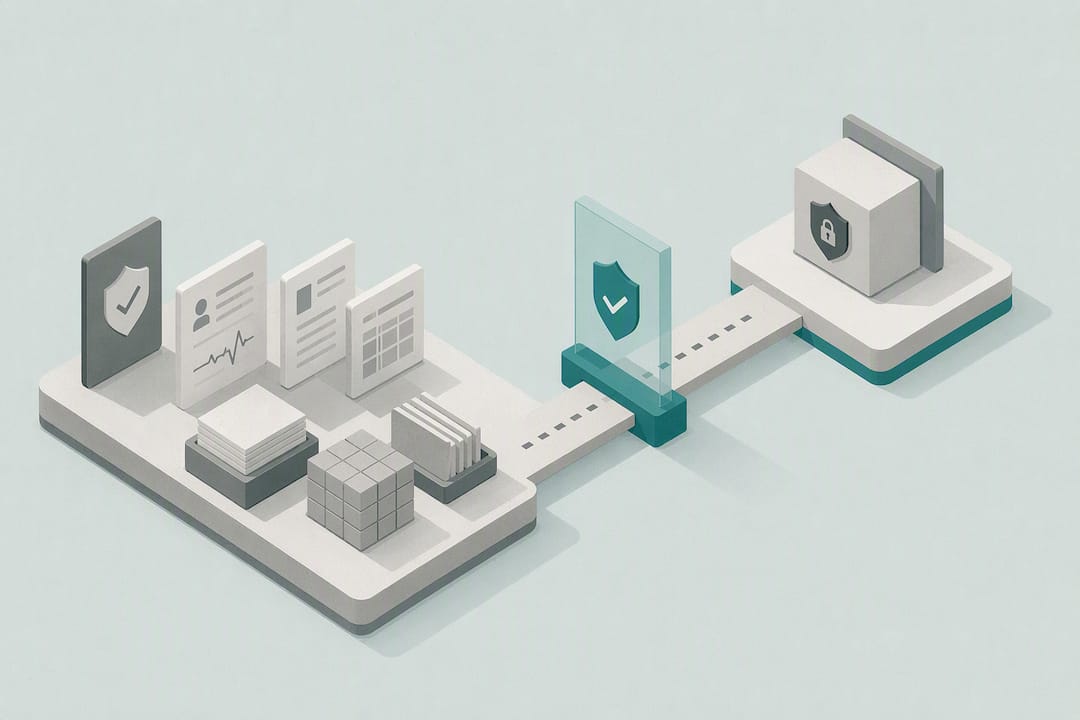
Security prerequisites aren’t optional add-ons here. Role-based access control, immutable audit logging, and a clear decision about which tasks run on-device versus in the cloud all need to be settled before the first pilot goes live, not retrofitted after an incident. For PHI-sensitive tasks like chart summarization, processing the data locally instead of routing it through a third-party cloud service removes an entire category of exposure risk.
What Does a Safe Rollout Plan Look Like?
A phased rollout beats a big-bang launch every time in clinical settings, because the cost of an undetected error compounds quickly when patient care is involved.
- Select one pilot workflow using the scoring framework above, and resist the urge to launch three at once just because momentum is high.
- Integrate with source systems using the most stable connection available, native API first, FHIR second, point-to-point last resort.
- Validate against real edge cases, not just the clean happy-path data. Pull genuinely messy records, duplicate patients, incomplete insurance data, unusual coding scenarios, and confirm the automation handles or correctly flags each one.
- Measure a baseline for two to four weeks before automation goes live, so you have a real number to compare against later instead of a guess.
- Run the controlled pilot with a defined group of staff and a defined time window, not an open-ended soft launch nobody remembers to close out.
- Iterate, then scale to additional departments or workflow variants once the pilot data supports it.
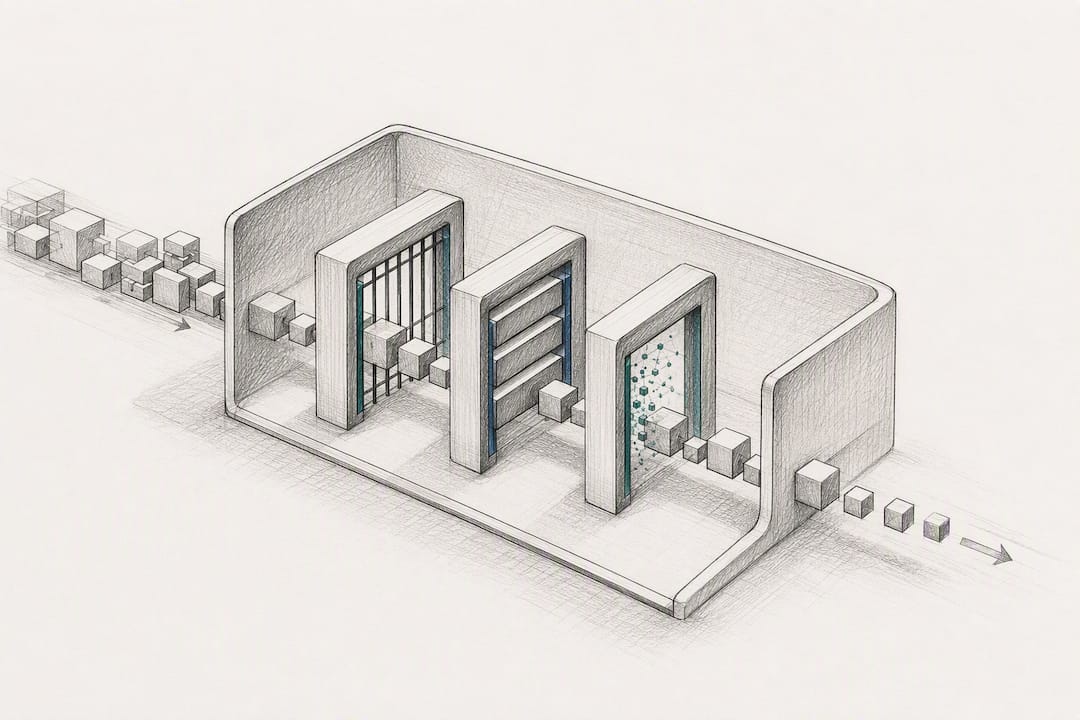
Governance has to run alongside every one of those steps, not get bolted on afterward. Every automated action that touches a clinical decision needs a defined clinician sign-off point before it’s considered final. Failure alerting has to catch the automation silently doing the wrong thing, not just crashing outright. Immutable, step-by-step logs matter for both patient safety review and for defending the process if a payer or regulator asks how a decision was made. QA sampling, spot-checking a percentage of automated outputs against manual review, catches drift before it becomes a pattern.
Pro Tip: Build an emergency stop into every clinical automation from day one, a single switch that reverts the workflow to fully manual. Teams that skip this step almost always regret it the first time the automation misbehaves during a busy shift.
Separating clinical logic from the execution layer makes the whole system easier to maintain. Think of workflow logic as a recipe, editable business rules that live apart from the underlying integration code, so a protocol change doesn’t require re-coding the EHR connection every time a payer updates its prior auth criteria. Agentic orchestration frameworks built on this recipe-based model make it easier to update a single rule without touching the rest of the pipeline, and platforms like Ango’s clinical practice runtime illustrate how that separation looks in an actual deployed system, gathering evidence, checking it against policy, and logging the reasoning for later review.
How Do You Measure Whether Clinical Automation Is Working?
The KPIs that matter most connect directly to either clinician time or revenue cycle health, and you want both categories represented, because a workflow that saves clinician hours but tanks first-pass claim acceptance isn’t actually a win.
Track these on a weekly cadence, not quarterly:
- Clinician hours saved per day on documentation and chart prep
- First-pass claim acceptance rate
- Denial rate, broken down by reason code
- Days in accounts receivable
- Prior authorization turnaround time
- Appointment throughput per provider per day
- Documentation completion rate within 24 hours of the visit
Capture a baseline for each metric before the automation goes live, then track the same metric weekly through the pilot window. A simple before-and-after comparison works for most practices; a control group, some clinicians using the automation and some not, gives a cleaner read if you have the staffing to support it.
A rough ROI formula: (hours saved per week × loaded hourly staff cost) plus (reduction in denied claims × average claim value), compared against the monthly cost of the automation tool and any integration or maintenance overhead. Most eligibility and intake automations show a measurable return within a few months, since the volume is high and the savings appear quickly in cleaner claims. Documentation automation tends to take longer to show financial ROI, though clinicians usually feel the time savings well before the spreadsheet catches up.
What Are the Real Risks, and How Do You Control Them?
The two failure modes that matter most in clinical automation are automation bias, staff trusting an automated output without checking it, and outright hallucination, an AI system generating plausible-sounding but incorrect clinical content. Neither is hypothetical; both show up in real deployments when review gates get skipped under time pressure.
Data leakage is the third major risk, and it’s the one regulators and auditors care about most. Any workflow touching PHI needs a Business Associate Agreement in place with every vendor involved, encryption in transit and at rest, and a clear record of exactly where patient data travels and where it’s stored.
Practical controls that address these risks directly:
- Human-in-the-loop gates for every high-stakes decision, no exceptions, no “it’s usually right so we skip the review” shortcuts.
- Immutable, provenance-tracked logging so every automated step can be reconstructed after the fact.
- Failure alerts that fire the moment an automation behaves outside its expected pattern, not just when it crashes.
- Role-based permissions limiting who can trigger or override an automated action.
- On-device or de-identified processing for any task where PHI exposure can be avoided entirely rather than merely managed.
By the numbers: ONC and HL7 guidance treats audit logging and architectural oversight as mandatory, not optional, for any workflow that triggers clinical or financial actions, a standard that should shape how every pilot is designed from the start.
The PMC literature review makes a similar point from a different angle: selecting the right automation technology for a given task depends on grading how much human intervention that specific decision actually requires, not applying the same oversight level to every workflow uniformly. A denial-code cleanup task and a treatment-plan recommendation are not the same risk category, and treating them that way either slows down the safe work or under-governs the risky work.
How Does MedScrub Fit This Governance-First Approach?
MedScrub was built around the exact prerequisites this guide lays out: sync with the EMR you already use, keep PHI off third-party servers, and give clinicians their time back without asking them to trust a black box.
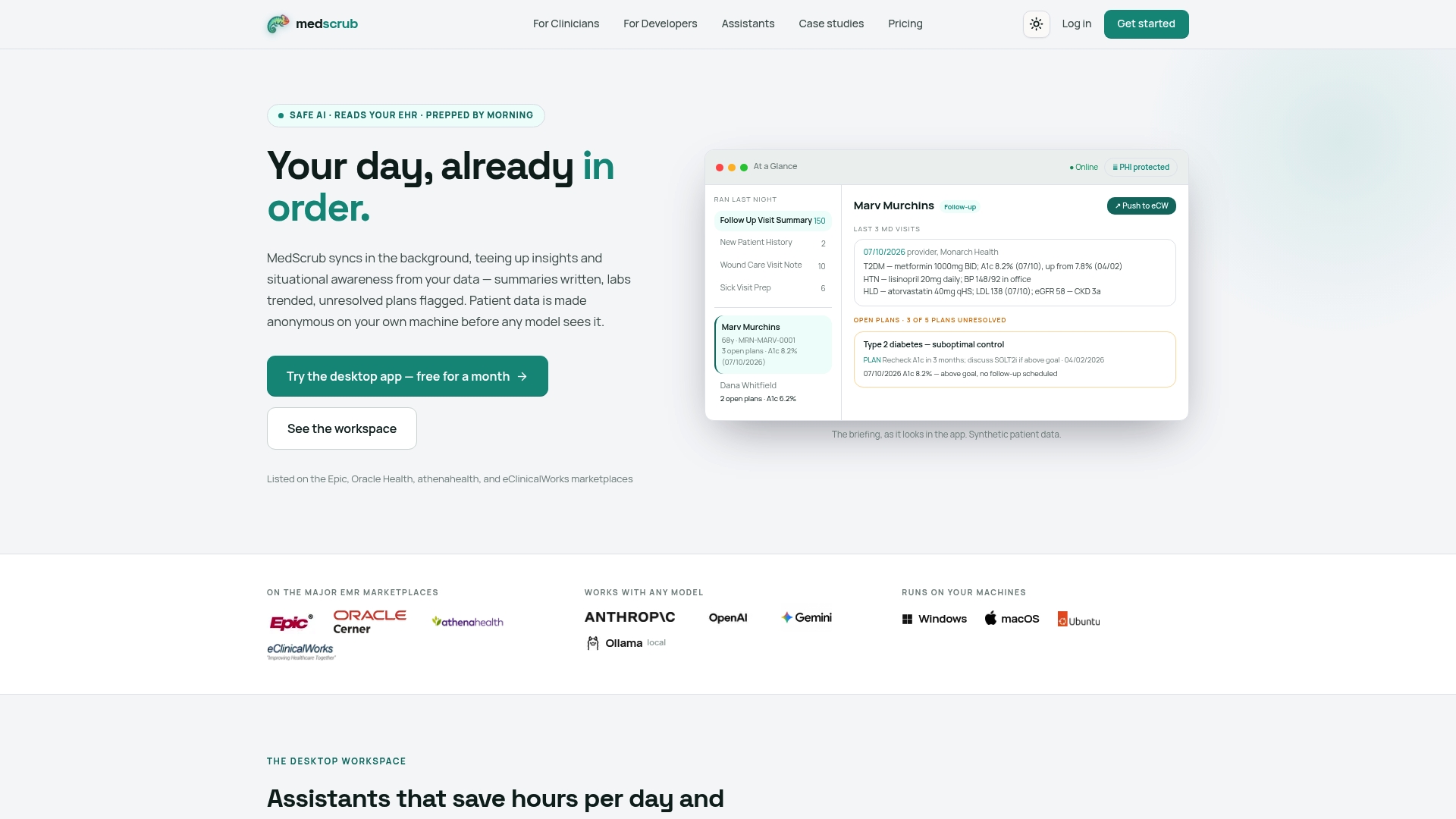
The platform syncs with major EMR systems, including Epic and Oracle Health, and turns patient charts into automated summaries, reminders, lab trend reports, and care-gap tracking, the same categories of clinical workflow automation this article has walked through. Clinicians report saving significant time that used to go into manual chart review and documentation cleanup.
The distinguishing choice is architectural: PHI de-identification happens on-device, before any data leaves the clinician’s machine, rather than in a cloud pipeline you have to trust blindly. For developers building integrations, MedScrub offers reversibly de-identified FHIR access through its developer API, so structured patient data stays usable for building tools without exposing raw PHI in transit.
This on-device, self-hosted model fits best where the governance stakes described above are highest: practices with strict local audit requirements, specialties handling especially sensitive records, or any team that wants to see exactly where its data lives rather than take a vendor’s word for it. Clinicians evaluating whether it fits their own chart prep workflow can look at how it works for physicians directly.
What Should Healthcare Teams Prioritize Over the Next Year?
Pick one, at most two, pilot workflows and run them on a genuine 90-day cadence instead of letting them drift indefinitely without a decision point. Pair a clinical champion, someone with real influence over how their colleagues will react, with an operations lead who owns the metrics. That combination catches problems neither role would spot alone.
Training matters more than most rollout plans admit. Staff need to know exactly what to do when an automation gets something wrong, not just how to use it when everything goes smoothly. Build the escalation path before launch, not after the first complaint.
The organizations that scale automation successfully are the ones that expand only after a pilot proves both its ROI and its safety record, not the ones chasing the widest rollout fastest. Incremental, validated growth beats an ambitious rollout that outruns its own oversight.
— Clint
Ready to Reclaim Clinician Hours? Here’s the Next Step
Every workflow this guide recommends starting with, chart prep, summaries, care-gap tracking, follow-up reminders, runs on MedScrub without your patient data ever touching a third-party cloud server. That’s the real distinction from a typical SaaS documentation tool: PHI de-identification happens locally, on the clinician’s own machine, so the compliance question that usually stalls a rollout gets answered before it’s even asked.
If you’re a clinician wondering how much of your charting day could disappear, the physician-focused overview walks through exactly what gets automated and what stays in your hands to review. Developers evaluating integration options can check the API and PHI proxy documentation to see how reversible de-identification works under the hood. And if you want to see this playing out in a real practice before committing to anything, the eSpiral case study documents nightly chart prep running with PHI never leaving the local environment. Request a trial and see what two hours a day back actually looks like on your own schedule.
This article is general information, not a substitute for advice from a qualified doctor. Consult a qualified healthcare professional about your own circumstances before acting on anything here.
Sources
- Identifying Opportunities for Workflow Automation in Health Care: Lessons Learned from Other Industries
- American Hospital Association reporting on administrative costs
- Healthcare Workflow Automation: 10 Real-World Examples


