Reliable FHIR Bulk Export: NDJSON, Polling, Token Tips for Developers
· 10 min read

Reliable FHIR Bulk Export: NDJSON, Polling, Token Tips for Developers
FHIR bulk export lets a client pull large volumes of patient data out of a FHIR server as compressed newline-delimited files instead of paging through thousands of REST calls. The workflow has three moves: kick off an asynchronous $export job, poll the Content-Location URL the server hands back until it reports done, then download the NDJSON files listed in the completed manifest. Everything else in this guide is detail on making that sequence reliable in production.
TL;DR:
- Most bulk export failures are caused by unsupported parameters, expired URLs, or server-side rejection of complex filters, requiring careful troubleshooting.
- Polling must respect
Retry-Afterheaders and verifyExpirestimestamps to avoid missing or expired files, especially when using partial manifest options.- NDJSON files should be processed with line-oriented streaming readers to prevent memory overload and facilitate downstream deduplication and relationship mapping.
- Using bulk export effectively involves understanding its volume-oriented nature for data warehousing or analytics, not for real-time updates, which are better handled by FHIR subscriptions.
- Security depends on proper token management, with some files requiring the same bearer token for download as for kickoff, while others may be hosted on external, pre-signed URLs that do not.
Table of Contents
- How Do You Kick Off a FHIR Bulk Export Request?
- What Query Parameters Control a Bulk Export Job?
- How Does Polling and the Output Manifest Work?
- How Should You Parse NDJSON Output Files?
- What Security Requirements Apply to Bulk Export Files?
- When Should You Actually Use Bulk Export?
- How Do You Troubleshoot a Stalled Bulk Export Job?
- How Does MedScrub Handle FHIR Access for Developers?
- Why Most Bulk Export Guides Undersell the Hard Part
- Get Secure FHIR Bulk Access Without Building It From Scratch
- Sources
How Do You Kick Off a FHIR Bulk Export Request?
A system-level export starts with a request to the base $export endpoint:
GET [base]/$export
Accept: application/fhir+json
Prefer: respond-async
Swap the base URL for [base]/Patient/$export to scope the job to a specific patient compartment, or [base]/Group/[id]/$export to pull everyone attached to a defined cohort. Group-level exports are the workhorse for population health teams because the server does the compartment resolution for you instead of forcing a client-side patient list.
A few things trip people up on the first attempt:
- The
Prefer: respond-asyncheader is not optional. Skip it and most servers reject the request outright. - GET is the default per the HL7 Bulk Data Access Implementation Guide, but some implementations accept POST with parameters in the body for longer parameter lists.
- Azure’s FHIR service adds a
_containerparameter for routing output into a specific Data Lake Storage Gen2 container, documented in Microsoft’s export guide. Other vendors expose similar destination hints, so check the server’sCapabilityStatementbefore assuming default behavior.
Pro Tip: Run a small Patient/$export against one or two test patients before attempting a system-wide pull. It surfaces header and permission issues in seconds instead of after a 40-minute job fails at the finish line.
What Query Parameters Control a Bulk Export Job?
Four parameters do most of the work, and each one changes what shows up in your manifest.
_typerestricts the export to specific resource types, like_type=Patient,Observation,Condition. Leave it off and you get everything the server is willing to hand over, which can be enormous._sincefilters to resources updated after a timestamp, in FHIRinstantformat (2026-01-15T00:00:00Z). This is how incremental syncs work: run a full export once, then schedule_sincepulls against your last successful run time._typeFilterapplies REST search parameters within a type, so_typeFilter=Observation?category=laboratorynarrows an already-broad resource type. Not every server supports every filter combination, and an unsupported one typically comes back as anOperationOutcomeat kickoff rather than a silent no-op.organizeOutputByandallowPartialManifestschange file layout. SettingorganizeOutputBy=Patientgroups output by patient rather than by resource type, which some ingestion pipelines prefer;allowPartialManifests=truelets the server return manifests incrementally instead of making you wait for the entire job to finish, useful for very large Group exports.
Write your client to treat any unsupported parameter as a recoverable error, not a crash, since server support for these varies by vendor and by FHIR release.
How Does Polling and the Output Manifest Work?
A successful kickoff returns 202 Accepted with a Content-Location header pointing at a status endpoint. That URL is your polling target.
- Poll
Content-Locationwith a GET request. A202means still running; check for aRetry-Afterheader and respect it instead of hammering the endpoint every second. - A
200 OKmeans the job is done, and the response body is the manifest, a JSON object with anoutputarray. - Each entry in
outputincludesurl(the file location),type(the resource type it contains),count, and sometimescontinuesInFilewhen one resource type spans multiple files. - Check
Expireson each output entry before you queue a download. Files behind expired links need a fresh manifest fetch, since the server won’t regenerate the same URL on demand. - If you requested
allowPartialManifests, expect multiple manifest fetches as the job progresses rather than one final document.
The Bulk Data Access IG specifies these manifest fields precisely, and it’s worth keeping that page open while you write your polling loop, because the field names are easy to mistype (requiresAccessToken is a boolean, not a token itself).
How Should You Parse NDJSON Output Files?
NDJSON means one JSON object per line, not one big JSON array. Reading the whole file with a standard JSON.parse() or its equivalent fails immediately on any file over a few hundred resources.
- Use a line-oriented streaming reader; most languages have one built in or in a common library (Node’s
readline, Python’s line iteration on a file handle, Java’sBufferedReader). - Process each line independently and discard it once you’ve extracted what you need, rather than buffering the whole file in memory.
- Each output file contains exactly one resource type, per the NDJSON requirement in the spec, which makes warehouse mapping straightforward: one file, one table (or one staging table you reshape downstream).
- Plan your deduplication and referential joins as a second pass after ingestion, not during the stream. Resources reference each other by ID across files, and you won’t have every file loaded until the whole job finishes.
Pro Tip: Store the manifest’s Expires timestamp and a hash of the file list alongside your ingested data. Bulk export files are point-in-time snapshots, and treating ingestion as idempotent saves you from double-counting when a job gets re-run.
What Security Requirements Apply to Bulk Export Files?
Kickoff and polling requests need an OAuth 2.0 bearer token, same as any authenticated FHIR call. What trips people up is the download step.
- Check
requiresAccessTokenon each manifest entry. Whentrue, the same bearer token used for kickoff must accompany the file download request. - When
false, the server may be hosting files elsewhere entirely, on a pre-signed S3 URL or an internal file server with its own access scheme, per the Bulk Data Access IG’s manifest guidance. Don’t assume your bearer token works there. - Request tokens with a scope and lifetime that cover the full expected job duration. A token that expires mid-poll on a two-hour export forces a re-auth you didn’t plan for.
- Some vendors scope exports to a specific storage account or subscription, so a token valid for one export destination may not work against another without reconfiguration.
When Should You Actually Use Bulk Export?
Bulk export is built for pulling large, point-in-time slices of data, not for staying current in real time.
- Good fits: seeding a data warehouse, running population-level analytics, migrating a patient panel between systems, or any job where you need thousands of records and don’t need them in the next five minutes.
- Poor fits: anything requiring near-real-time updates. For that, FHIR Subscriptions push changes as they happen, and RESTful search handles one-off lookups far more cheaply than spinning up an async job.
- Trade-offs: bulk export trades latency for volume. A single export can outperform paginated REST search by orders of magnitude on record count, but it costs you minutes to hours of job time versus milliseconds for a targeted query, as shown in this case study on accelerating healthcare analytics.
If your use case is “give me everything for these 50,000 patients once a month,” bulk export wins easily. If it’s “notify me the second a lab result posts,” look elsewhere.
How Do You Troubleshoot a Stalled Bulk Export Job?
Most bulk export failures fall into three buckets: bad parameters, stalled jobs, and expired file access.
- Kickoff rejected with an
OperationOutcome: read thediagnosticsfield. It usually names the unsupported parameter or resource type directly, so trim your_typelist or drop the offending_typeFilterand retry. - Job appears stuck at
202indefinitely: check the destination storage container for partial files, since some servers write incrementally even before the manifest completes. If nothing is landing, check server-side logs or cancel the job with aDELETEto theContent-LocationURL and restart it, a pattern documented in Microsoft’s troubleshooting notes. - File download returns 403 or 404: the link has likely expired. Re-fetch the manifest rather than retrying the same URL.
Pro Tip: Log the full manifest JSON, not just the file URLs, every time a job completes. When something breaks three weeks later, that log is the only record of what Expires and requiresAccessToken actually said at the time.
How Does MedScrub Handle FHIR Access for Developers?
Building a compliant bulk export pipeline from scratch means solving de-identification, token handling, and EMR connectivity before you even get to the interesting analytics work. MedScrub’s developer offering wraps that groundwork into a reversibly de-identified FHIR API that sits in front of major EMR systems, including Epic and Oracle Health.
- On-device de-identification strips PHI before data leaves the source environment, so exported files carry de-identified resources by default.
- The API is self-hosted or deployable on-premises, which matters for teams that can’t route patient data through a third-party cloud pipeline.
- The eSpiral case study documents a deployment where PHI stayed on-device throughout integration, a useful reference point for teams weighing build-versus-buy on the de-identification layer.
Every implementation still has vendor-specific quirks, and MedScrub’s own developer documentation is where those specifics live rather than in general FHIR guidance.
Why Most Bulk Export Guides Undersell the Hard Part
The HL7 spec and vendor docs will get your kickoff request working in an afternoon. What they undersell is everything after the manifest arrives: the memory blowouts from treating NDJSON as a single array, the silent data loss from ignoring continuesInFile, the re-auth failures when a token expires mid-poll on a six-hour job.
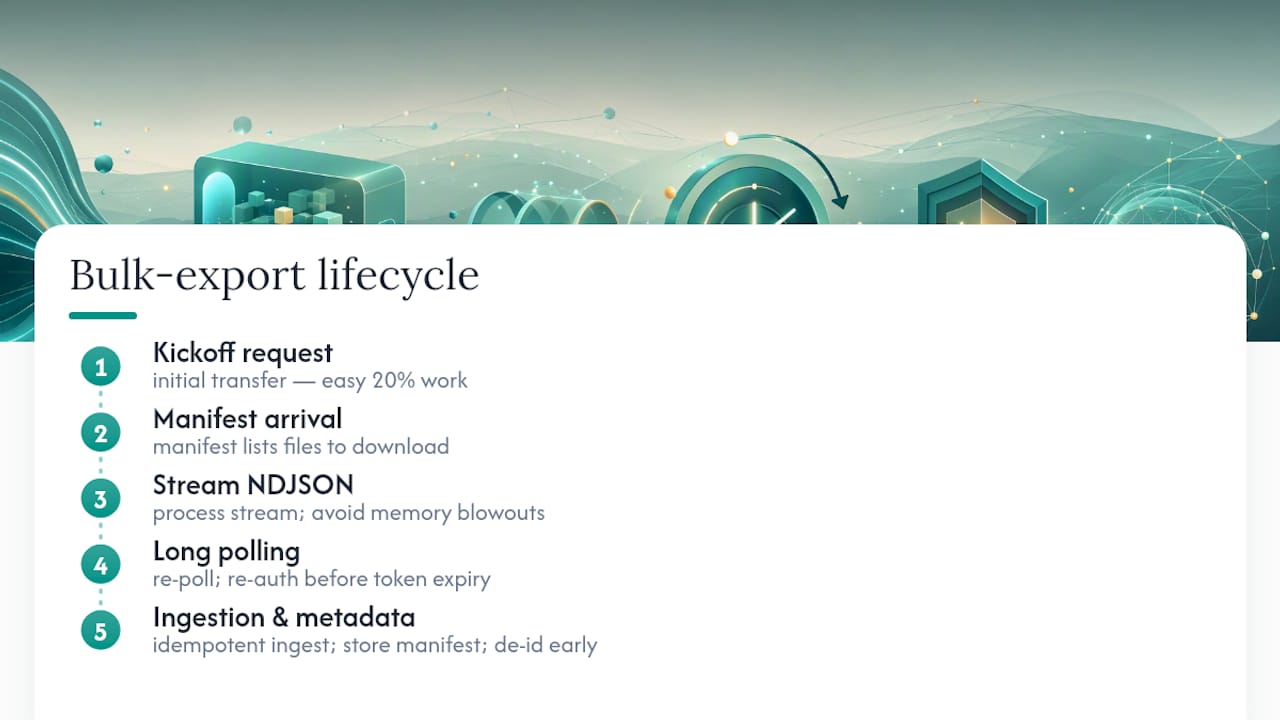
Most teams treat bulk export as a data-transfer problem when it’s really a data-pipeline problem. The transfer part, kickoff, poll, download, is the easy 20%. The other 80% is building idempotent ingestion that survives a re-run, storing manifest metadata so you can prove what you pulled and when, and handling requiresAccessToken correctly so a download doesn’t fail against a file server your bearer token has never heard of.
If there’s one piece of conventional advice worth pushing back on, it’s the assumption that de-identification is a downstream concern you bolt on after ingestion. Handling it earlier, ideally before data leaves the source system, avoids building a second compliance layer on top of a pipeline that was never designed for it. That’s the design choice worth prioritizing before you write a single line of polling logic.
— Clint
Get Secure FHIR Bulk Access Without Building It From Scratch
There are solutions offering self-hosted APIs with reversible on-device PHI de-identification built in, plus live connectors to Epic, Oracle Health, athenahealth, and eClinicalWorks, so bulk FHIR access doesn’t mean months of compliance engineering before you write a single query.
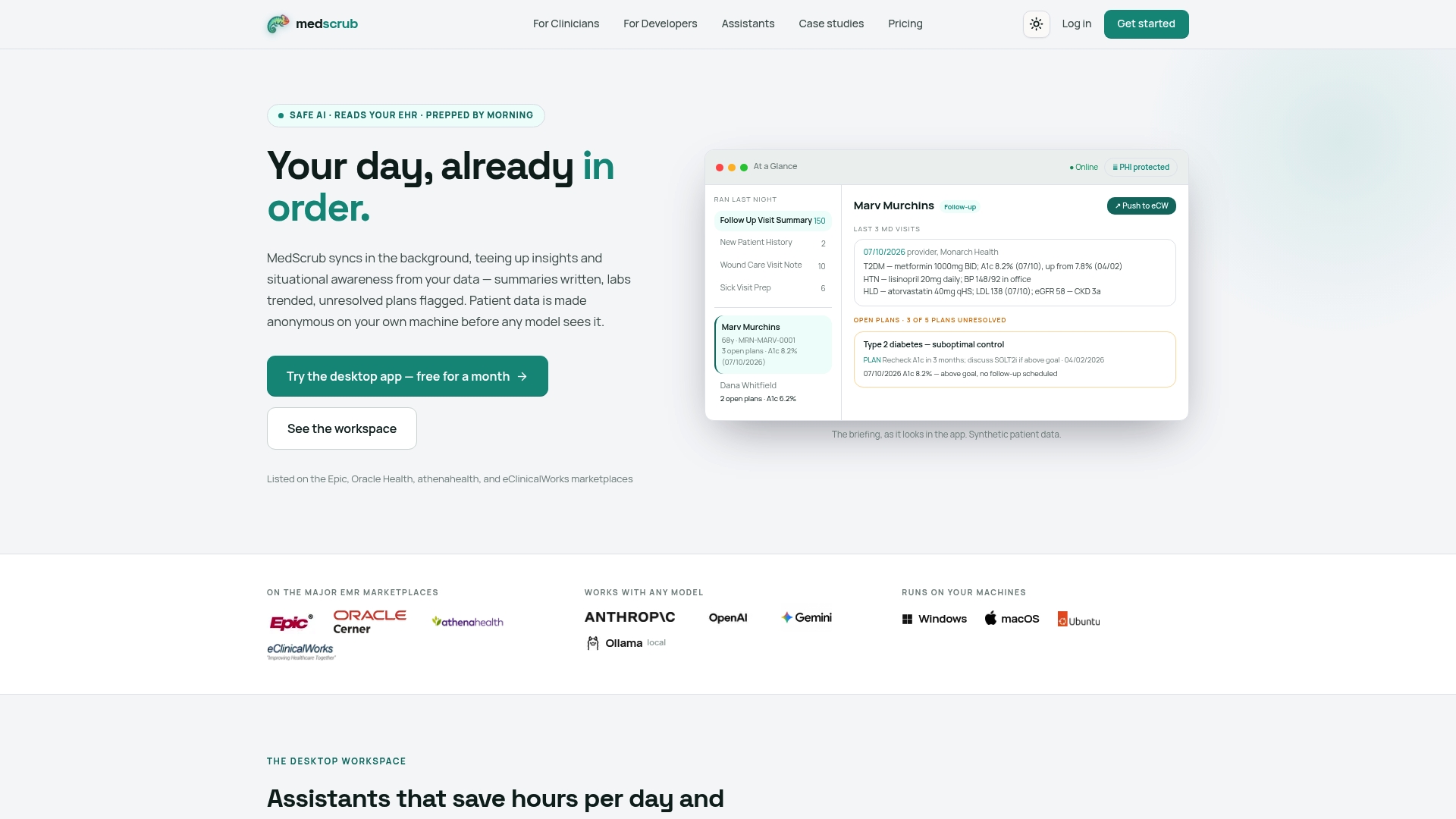
The privacy model is the differentiator: PHI de-identification happens on your own machine, not in a third-party cloud, which keeps sensitive data out of scope for a large share of your compliance review. Pair that with plain-English assistant tooling and multi-model LLM support if you’re building beyond raw data export, into chart summaries, care gap tracking, or prior auth drafting. Start by reviewing the developer API and integration options and see whether a self-hosted deployment fits your existing FHIR pipeline before you commit engineering time to building the de-identification layer yourself.
Sources
- Export - Bulk Data Access IG v4.0.0-ballot
- Export your FHIR data by invoking the $export command on the FHIR service | Microsoft Learn


