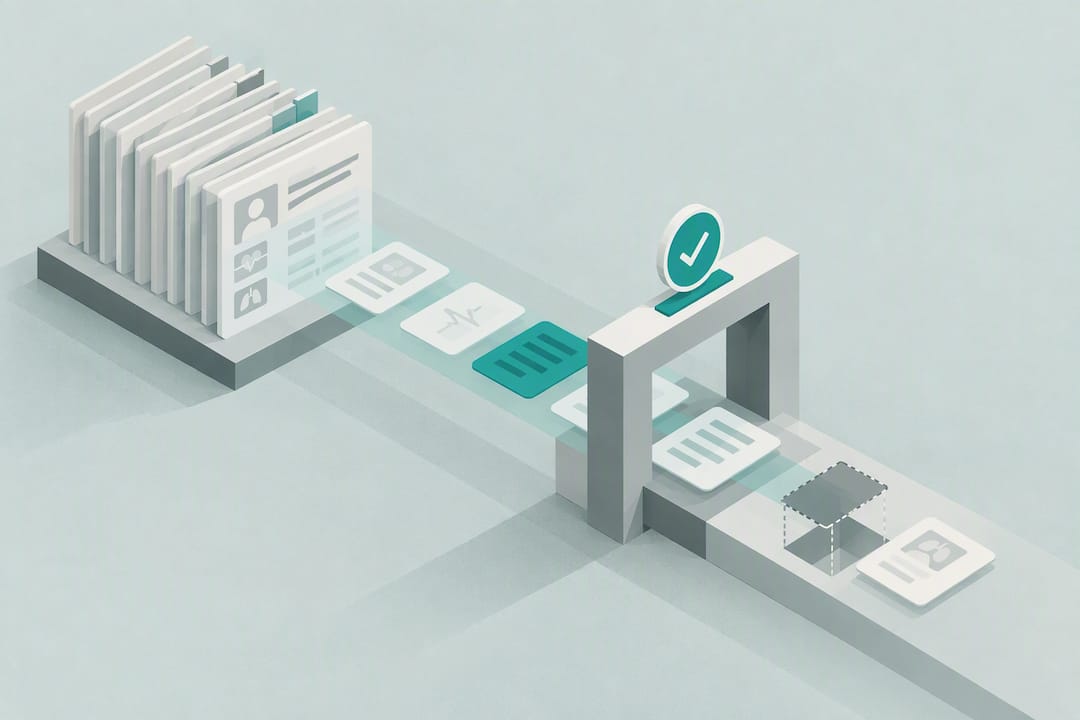
Privacy First Clinical Documentation Automation for Health Systems
· 19 min read
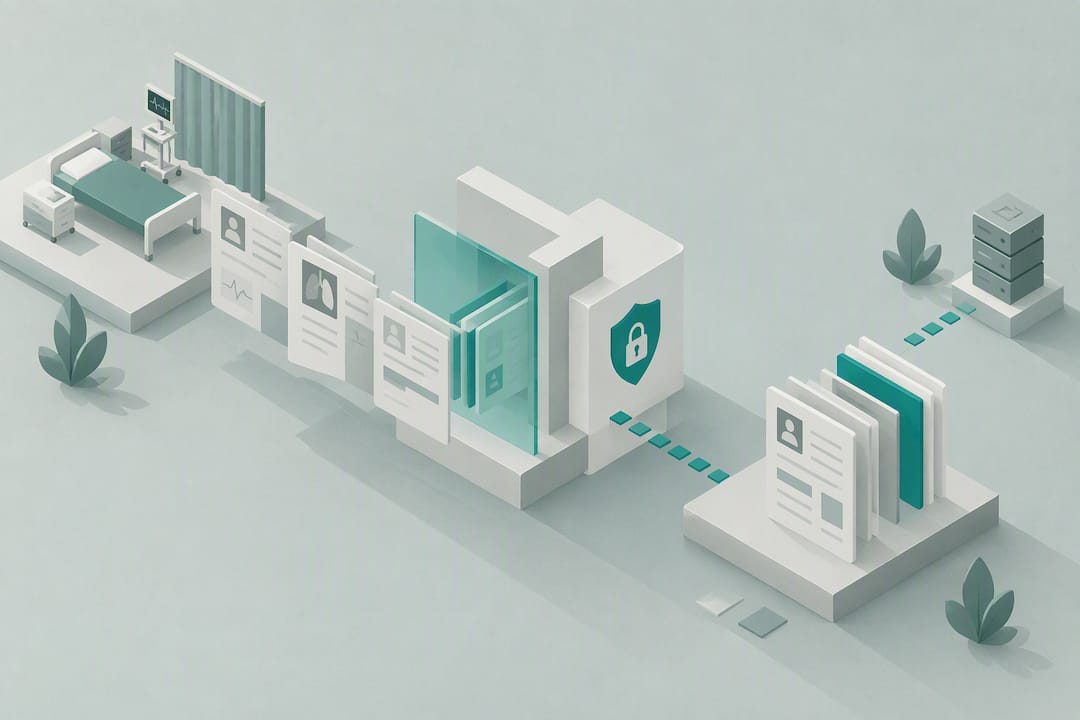
Privacy First Clinical Documentation Automation for Health Systems
Clinical documentation automation uses ambient AI, natural language processing, and large language model summarization to draft notes, summaries, and routine chart prep directly from patient encounters. Deployed well, it cuts documentation time by measurable margins and reduces after-hours charting. Deployed carelessly, it introduces hallucinations and omission errors into the medical record. The technology works. The oversight around it determines whether it’s safe.
TL;DR:
- Percentage of documentation time saved varies, with studies showing around 1 to 2 minutes per note, depending on specialty and workflow.
- On-device processing and strict human review are essential to mitigate hallucinations, omissions, and transcription errors in AI-generated notes.
- Successful pilot programs involve structured staging, clear goals, real-time feedback, and specialty-specific validation before scaling.
- Privacy-focused tools like MedScrub anonymize PHI locally, reducing compliance risks and simplifying internal audits by avoiding cloud data transfer.
- Usage is most effective in high-volume, conversational specialties such as primary care, psychiatry, and administrative tasks like prior authorization drafting.
Table of Contents
- What Is Clinical Documentation Automation and How Does It Work?
- Does Clinical Documentation Automation Actually Save Time?
- How Do You Pilot and Scale Documentation Automation Safely?
- What Are the Risks of AI in Clinical Documentation?
- Where Does Clinical Documentation AI Actually Get Used?
- How Does MedScrub Approach Privacy-First Documentation?
- How Do You Evaluate Readiness for a Documentation Automation Pilot?
- A Clinician-Centered View on What Comes Next
- Get Started with Privacy-First Clinical Documentation
- Sources
- FAQ
What Is Clinical Documentation Automation and How Does It Work?
Clinical documentation automation is not one piece of software. It’s a stack of technologies working together, and understanding each layer matters if you’re the one signing a purchase order or telling your medical staff to trust the output.
Automatic speech recognition (ASR) converts the spoken conversation between clinician and patient into text. This is the oldest piece of the stack, and it’s gotten dramatically better at handling medical vocabulary, accents, and crosstalk in a busy exam room. Natural language processing (NLP) then takes that raw transcript and extracts structure: identifying who said what, flagging symptoms, and tagging clinically relevant phrases. Named-entity recognition (NER) is the specific NLP function that pulls out medications, dosages, diagnoses, and lab values so they can be mapped into discrete EHR fields rather than buried in a paragraph of text. Finally, LLM summarization takes all of that structured and unstructured information and drafts it into a usable clinical note, whether that’s a SOAP format, an H&P, or a specialty-specific template.
There’s an important distinction between two deployment philosophies here. Ambient scribes listen passively during the visit and generate a note afterward, functioning like a transcriptionist with clinical judgment. Agentic systems work differently: they pull data before the visit even starts, pre-populating a chart summary, flagging overdue screenings, or drafting a problem list from prior encounters, lab trends, and medication history. Some platforms combine both, capturing the live encounter while also doing pre-visit chart prep so the clinician walks in already briefed.
Where the processing happens matters as much as what it does. Cloud-based tools send audio or transcripts to a remote server for processing, which raises questions about data residency and vendor access to protected health information. On-device processing keeps that computation local, de-identifying data before it ever leaves the clinician’s machine. This is a meaningfully different risk profile, not a marketing distinction.
Integration architecture is the other variable that determines whether a tool actually gets used. Most systems connect to the EHR through one of a few patterns:
- Direct EHR API integration, syncing structured data from platforms like Epic or Oracle Health in near real time.
- FHIR-based access, using the interoperability standard to pull and push discrete data elements without a proprietary connector for every EHR.
- Copy-paste or clipboard workflows, the lowest-friction but most error-prone method, where a drafted note is manually inserted into the chart.
- Native desktop or on-premises deployment, where the tool operates alongside the EHR on the clinician’s own machine rather than routing data through a third-party cloud.
No matter which architecture a health system chooses, human-in-the-loop editing remains standard practice, not an optional safety net. Every credible AHRQ and clinical review of ambient AI treats clinician review and involvement as a promising practice, not a temporary crutch until the models improve. Specialty tuning also matters more than most buyers expect going in. A model trained largely on primary care encounters will misfire on cardiology-specific terminology or psychiatric mental status exam language unless it’s been retrained or fine-tuned on that specialty’s documentation patterns.
Does Clinical Documentation Automation Actually Save Time?
The honest answer is: it depends on the study, the specialty, and how carefully the tool was implemented, but the direction is consistently positive.
A systematic review of AI documentation tools found heterogeneous but generally favorable results. Other studies in the same review reported more modest gains of roughly 1 to 1.8 minutes saved per note. That range matters: a tool that saves 20% of documentation time in one clinic might only save a fraction of that in another, depending on note complexity, specialty, and how well the clinician has adapted their workflow around the AI draft.
Health system rollouts tell a complementary story at scale. Kaiser Permanente’s structured deployment began with a 10-week pilot before wider release, and clinicians in that rollout reported reduced after-hours documentation, commonly called “pajama time,” along with improved face-to-face time with patients. At a larger scale, American Medical Association reporting on ambient AI adoption across Permanente physicians put aggregate time savings measured in thousands of clinician-hours, alongside reported gains in clinician satisfaction and patient interaction quality.
Here’s what those numbers actually mean for a mid-size practice: if your clinicians average 90 minutes of documentation daily, even a conservative 15 to 20% reduction returns roughly 15 to 20 minutes of clinical or personal time per clinician, per day. Multiply that across a 40-physician group and you’re looking at a meaningful chunk of reclaimed capacity every week, not a rounding error.
Time savings is only half the picture, though. Note quality matters just as much, and it’s harder to measure. Reviewers commonly use PDQI-style metrics (Physician Documentation Quality Instrument), which score notes on dimensions like accuracy, thoroughness, internal consistency, and up-to-date relevance. A note that’s faster to produce but loses thoroughness or introduces inconsistencies isn’t actually a win, it’s a liability wearing a time-savings costume.
Several limitations run through this evidence base:
- Study designs vary widely, from small single-site quality improvement projects to multi-site rollouts, making direct comparison difficult.
- Specialty heterogeneity is significant. Primary care and family medicine dominate the published evidence; surgical and highly technical specialties are comparatively underrepresented.
- Most published time-savings figures come from self-reported clinician surveys rather than direct time-motion studies, which introduces a real risk of recall bias.
For operational leaders trying to set realistic KPIs, four metrics matter more than any single time-savings headline:
- Time per note, tracked before and after deployment, ideally through EHR audit logs rather than self-report.
- Note-quality scores using a PDQI-style rubric, reviewed by a clinical documentation specialist on a rolling sample.
- Edit rate, meaning how much of the AI-generated draft a clinician actually changes before signing.
- Omission and hallucination incident reports, tracked as a standing item in your quality assurance process, not an afterthought.
How Do You Pilot and Scale Documentation Automation Safely?
The health systems that get this right treat implementation as a structured, staged process rather than a single go-live event. Kaiser Permanente’s approach offers the clearest public blueprint: a defined pilot window, structured quality assurance, and staged expansion based on what the pilot actually revealed rather than what the vendor promised.
1. Design a scoped pilot. Pick a defined group of super-users, ideally clinicians who are both tech-comfortable and respected by their peers, so their feedback carries weight during rollout. Set a fixed pilot duration, commonly around 10 weeks based on published health system experience, and establish a regular cadence for collecting feedback rather than waiting until the end.
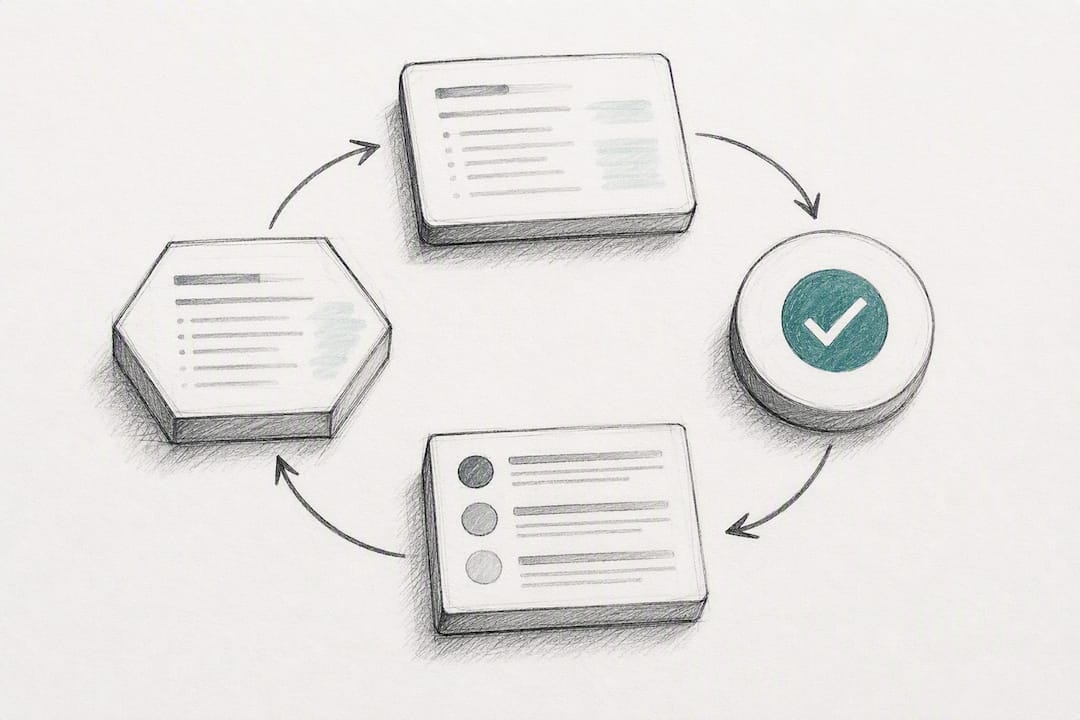
2. Build a real quality assurance loop, not a suggestion box. Effective QA processes ask clinicians to rate individual AI-generated drafts, often on a rating scale with multiple levels, and pair that rating with structured written feedback identifying specific errors, omissions, or awkward phrasing. That feedback then routes back to the vendor for triage and model adjustment, and periodically the model gets re-evaluated against fresh specialty-specific data rather than assumed to be “done” after initial tuning.
3. Handle consent and privacy as workflow steps, not paperwork. Ambient recording requires clear patient consent, typically a brief verbal script the clinician reads before starting the encounter. Where a tool performs on-device de-identification before any data reaches a cloud model, that architecture measurably reduces compliance friction, since PHI never transits outside the practice’s own hardware. This is one area where the technical design choice and the regulatory posture are the same decision, not two separate ones.
4. Manage change deliberately. Voluntary opt-in participation, rather than a mandate, consistently correlates with higher trust and better adoption in published rollout experience. Pair that with hands-on training that covers not just how to start a recording, but how to edit a draft efficiently, and map the tool’s output templates to your existing note structures so clinicians aren’t relearning documentation habits on top of learning new software.
Pro Tip: Don’t skip the “cold read” test during your pilot. Have a clinician who was not present for the encounter read the AI-generated note without knowing it was AI-drafted. If they can’t tell, or if they catch an error a human scribe would have caught, that tells you more about real-world reliability than any vendor benchmark.
Pilot groups that pair super-users with tight feedback loops consistently accelerate vendor tuning and catch specialty-specific errors faster than broad, ungoverned rollouts. That’s not a coincidence. Smaller, well-instrumented pilots surface the exact failure patterns a specialty will hit at scale, while a big-bang rollout just multiplies whatever gaps existed on day one.
What Are the Risks of AI in Clinical Documentation?
Every benefit above comes with a corresponding failure mode, and pretending otherwise is how a documentation automation project turns into a malpractice exposure.
Hallucinations are the most discussed risk: the AI generates plausible-sounding clinical content that was never actually said or observed. A narrative review of ambient AI scribes documented omission and hallucination incidents in both simulated testing and small real-world studies, and noted that the clinical consequence of an error scales with specialty risk. A hallucinated detail in a routine wellness visit note is an annoyance. The same kind of error in a cardiology note involving medication dosing is a different category of problem entirely.
Omission errors run the opposite direction: the AI drops something clinically relevant that was actually said, often because of background noise, overlapping speech, or a detail mentioned briefly and never revisited in the conversation. These are harder to catch than hallucinations because there’s no obviously wrong statement to flag. The note just looks complete when it isn’t.
Automation bias describes a subtler risk: clinicians start trusting the AI draft enough that they review it less carefully over time. The AHRQ landscape assessment flags this explicitly as a challenge alongside deskilling, the concern that clinicians who rely heavily on AI-drafted summaries gradually lose some of the documentation skill and clinical reasoning that comes from writing notes themselves.
Transcription inaccuracy in noisy or multi-speaker environments remains a persistent limitation, and AMA reporting on ambient listening tools notes that specialty tuning is often required to keep accuracy high outside of straightforward primary care encounters.
Mitigations that actually reduce these risks in practice:
- Mandatory human review before any AI-drafted note is signed and locked into the chart.
- Specialty-specific validation before deploying a tool broadly in high-acuity or high-complexity departments.
- Ongoing monitoring with a formal incident reporting channel for hallucinations and omissions, reviewed on a set cadence rather than only when someone complains.
- Governance practices including audit trails on every AI-generated draft, documented model versioning, and a revalidation schedule tied to specialty-specific datasets rather than a one-time approval.
Treating AI as an augmentation technology, where the clinician remains the decision-maker and the AI output is one input reviewed as part of the workflow, is the single most consistent theme across the published evidence on safe deployment.
Where Does Clinical Documentation AI Actually Get Used?
The clearest wins show up in a handful of recurring workflows, and knowing which one matches your operational pain point matters more than picking the flashiest feature list.
Ambient scribing during the visit is the highest-profile use case, and it delivers the most benefit in specialties with high patient volume and conversational, narrative-heavy encounters: primary care, family medicine, and psychiatry in particular. The clinician talks with the patient normally, and a draft note appears afterward for review.
Nightly and pre-visit chart preparation solves a different problem: instead of drafting the note after the visit, the system pulls lab trends, medication history, and outstanding care gaps together before the clinician ever walks into the room. This is especially valuable for practices managing open panels or high patient-to-provider ratios, where clinicians otherwise spend the first several minutes of every visit just reconstructing context from a fragmented chart.
Administrative drafting covers a category that gets far less attention than ambient scribing but eats just as much time: prior authorization requests, appeal letters, and referral summaries. These are formulaic, evidence-heavy documents that an LLM can draft from existing chart data with a clinician doing final review and sign-off, rather than starting from a blank template.
A few limitations deserve honest mention. Surgical specialties, highly technical procedural notes, and any encounter involving multiple simultaneous speakers (a family meeting, a code situation) need extra validation before broad deployment, since transcription and summarization accuracy drop in exactly those conditions. If your practice is heavy on procedural documentation rather than conversational visits, expect a longer specialty-tuning runway before results match the primary care evidence base.
How Does MedScrub Approach Privacy-First Documentation?
MedScrub was built around a specific bet: that clinicians would trust an AI documentation tool more, and adopt it faster, if PHI never had to leave their own machine to get value from it. That bet shows up directly in the product architecture.
MedScrub syncs patient data from major EHR systems, including Epic, Oracle Health, athenahealth, and eClinicalWorks, and performs on-device PHI anonymization before any AI processing happens. The tool runs as a native desktop application or self-hosted API, generating chart summaries, lab trend reports, problem-based summaries, SOAP notes, and prior authorization drafts without routing identifiable patient information through a third-party cloud model. A plain-English assistant builder lets clinical and back-office staff create custom automated workflows, such as care gap tracking or treatment plan follow-up reminders, without needing a developer to write code.
Two client case studies illustrate how this plays out operationally:
- Monarch Health used MedScrub for nightly chart preparation across an open-panel practice model, reducing the time clinicians spent reconstructing patient context at the start of each visit.
- eSpiral adopted MedScrub specifically for its on-device processing, reporting that keeping PHI out of the cloud entirely simplified their internal compliance review and reduced the friction typically involved in vetting a new clinical AI vendor.
The on-device anonymization approach matters for more than compliance checkbox reasons. It also simplifies the QA processes described earlier in this guide: because de-identification happens locally and deterministically, auditing what data left the building, and confirming that nothing PHI-bearing did, becomes a far simpler verification step than trying to audit a cloud vendor’s internal handling of identifiable data.
How Do You Evaluate Readiness for a Documentation Automation Pilot?
Before signing anything, run your practice through a structured readiness check. Skipping this step is the single most common reason pilots stall or get quietly abandoned after month two.
- Assess your actual goals. Are you trying to cut after-hours documentation time, close care gaps faster, or reduce prior authorization turnaround? Different tools optimize for different problems, and a tool tuned for ambient scribing won’t necessarily excel at chart prep or administrative drafting.
- Identify stakeholders and specialty priorities. Pull in your compliance officer, your IT lead, and at least two or three frontline clinicians from the specialty you’re piloting in before you evaluate a single vendor demo.
- Confirm data access. Verify your EHR supports the integration pattern the tool requires, whether that’s a direct API connection, FHIR access, or a native desktop installation alongside your existing system.
- Execute a scoped pilot with defined super-users, a fixed timeline (commonly around 10 weeks), and a regular feedback cadence rather than an open-ended trial.
- Build your privacy and consent checklist, including a verbal consent script for ambient recording, verification that any de-identification claims are actually deterministic and auditable, and a clear answer on whether a Business Associate Agreement is required for your chosen model vendor.
- Set scaling criteria in advance. Decide before the pilot starts what edit rate, time-savings threshold, and incident rate would justify expanding to the next department, so the go/no-go decision isn’t made on gut feeling after the fact.
| Readiness Area | What to Confirm | Who Owns It |
|---|---|---|
| Goals and scope | Primary metric (time saved, care gap closure, prior auth turnaround) | Practice administrator |
| EHR integration | API, FHIR, or native desktop compatibility confirmed | IT lead |
| Pilot design | Super-users named, timeline set, feedback cadence scheduled | Clinical champion |
| Privacy and consent | Consent script drafted, de-identification method verified, BAA reviewed | Compliance officer |
| Scaling threshold | Edit rate, time savings, and incident rate targets set before go-live | Practice administrator + clinical champion |
A Clinician-Centered View on What Comes Next
The industry conversation around clinical documentation automation has mostly been about time savings, and that’s understandable since it’s the easiest number to put in a press release. But the more important story is what happens to clinical judgment when a machine drafts the first version of every note. I think augmentation-first design, where the clinician stays the final decision-maker and reviews every draft, isn’t a temporary phase we’ll grow out of as models improve. It’s the permanent operating model for anything touching the medical record.
The next stage of this technology is already visible in early deployments: agentic systems that don’t just summarize a completed visit but proactively surface a care gap or flag a lab trend before the clinician even opens the chart. That’s a meaningful shift from documentation tool to decision-support partner, and it raises the stakes on governance rather than lowering them. The more proactive these systems get, the more important it becomes to keep specialty-specific validation conservative and slow, rather than assuming a model that works well in primary care will transfer cleanly to oncology or critical care. Move fast on training clinicians to review drafts critically. Move deliberately on everything else.
— Clint
Get Started with Privacy-First Clinical Documentation
Medscrub is built for the exact operating model this guide recommends: on-device PHI anonymization, direct EHR sync, and human-reviewed drafts, with nothing identifiable ever routed through a third-party cloud model to generate a summary or note. Where the Monarch Health and eSpiral case studies showed nightly chart prep and simplified compliance review in practice, that same architecture applies whether you’re piloting ambient documentation, automating prior authorization drafts, or building custom care-gap assistants with the plain-English assistant builder.
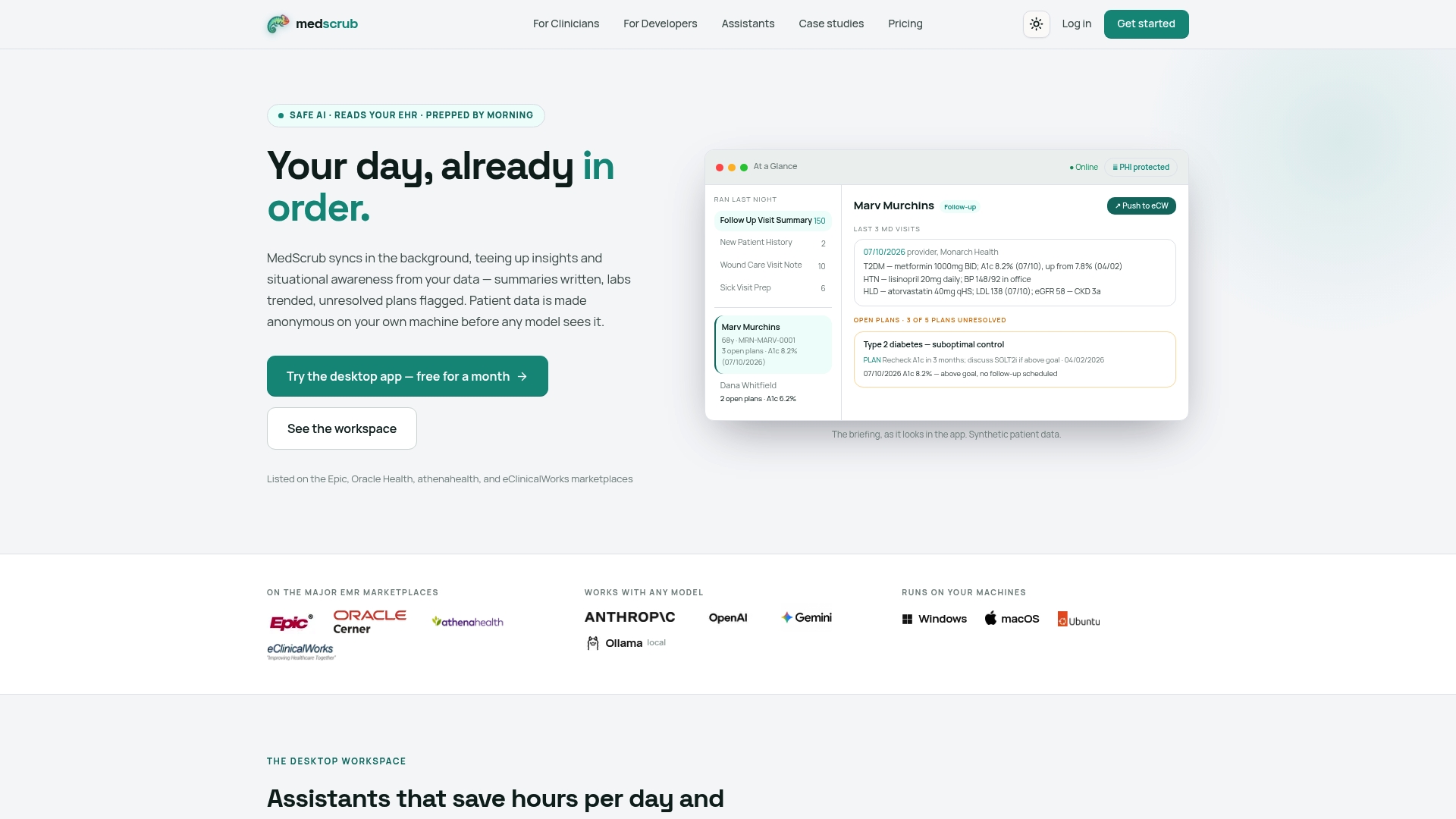
The Solo plan runs $99 per month for individual clinicians, while group practices can scale on the Practice plan at $89 per seat monthly. Enterprise and Hobby tiers, along with developer credit bundles for teams building on the FHIR-based PHI proxy, are available with pricing on request. If you’re evaluating a pilot along the lines this guide describes, start by reviewing MedScrub’s clinician-focused features and reading the full case study collection before scoping your own 10-week trial.
Sources
For readers who want to go deeper than any single vendor’s marketing page, these sources shaped the evidence base behind this guide:
- Improving Clinical Documentation with Artificial Intelligence: A Systematic Review
- Quality assurance informs large-scale use of ambient AI clinical documentation - Permanente Medicine
- AI scribes save 15,000 hours—and restore the human side of medicine | American Medical Association
- Implementation, Adoption, and Scaling Workgroup: Landscape Assessment on the Use of Artificial Intelligence To Scale PC CDS
This article is general information, not a substitute for advice from a qualified doctor. Consult a qualified healthcare professional about your own circumstances before acting on anything here.
FAQ
What Are the 7 C’s of Clinical Documentation?
Documentation quality frameworks emphasize attributes like clear, concise, complete, correct, consistent, chronological, and confidential. AI drafting tools can help hit several of these consistently, particularly completeness and chronological order, but a human reviewer remains responsible for correctness and confidentiality before a note is finalized.
Is AI Replacing Medical Coders?
No, current evidence points to AI augmenting coding and documentation work rather than replacing the people doing it. Tools automate the drafting and summarization steps, but AHRQ’s landscape assessment explicitly recommends keeping clinicians and documentation specialists involved to catch errors AI alone would miss.
What Are the 5 C’s of Documentation?
Definitions vary across health systems, but a common version includes client’s words, clarity, completeness, chronological order, and confidentiality. These overlap heavily with established documentation quality attributes and serve the same underlying goal: a note that accurately and legally reflects what happened in the encounter.
How Much Time Can Clinical Documentation Automation Actually Save?
Published results vary by study and specialty, with one quality improvement study showing documentation time dropping from 10.3 to 8.2 minutes per note, a 20.4% reduction, while large-scale rollouts have reported aggregate savings in the thousands of clinician-hours. Results depend heavily on specialty, note complexity, and how well the pilot and QA process were run.
Does MedScrub Require Sending Patient Data to the Cloud?
No, MedScrub performs PHI anonymization on-device before any AI processing occurs, and it operates as a native desktop application or self-hosted API rather than routing identifiable data through a third-party cloud. Current pricing starts at $99 per month for the Solo plan, with per-seat Practice pricing and Enterprise options listed on the same page.